
Muxwell
A video converter for everyone.

Overview
Drag, drop, convert nearly anything.
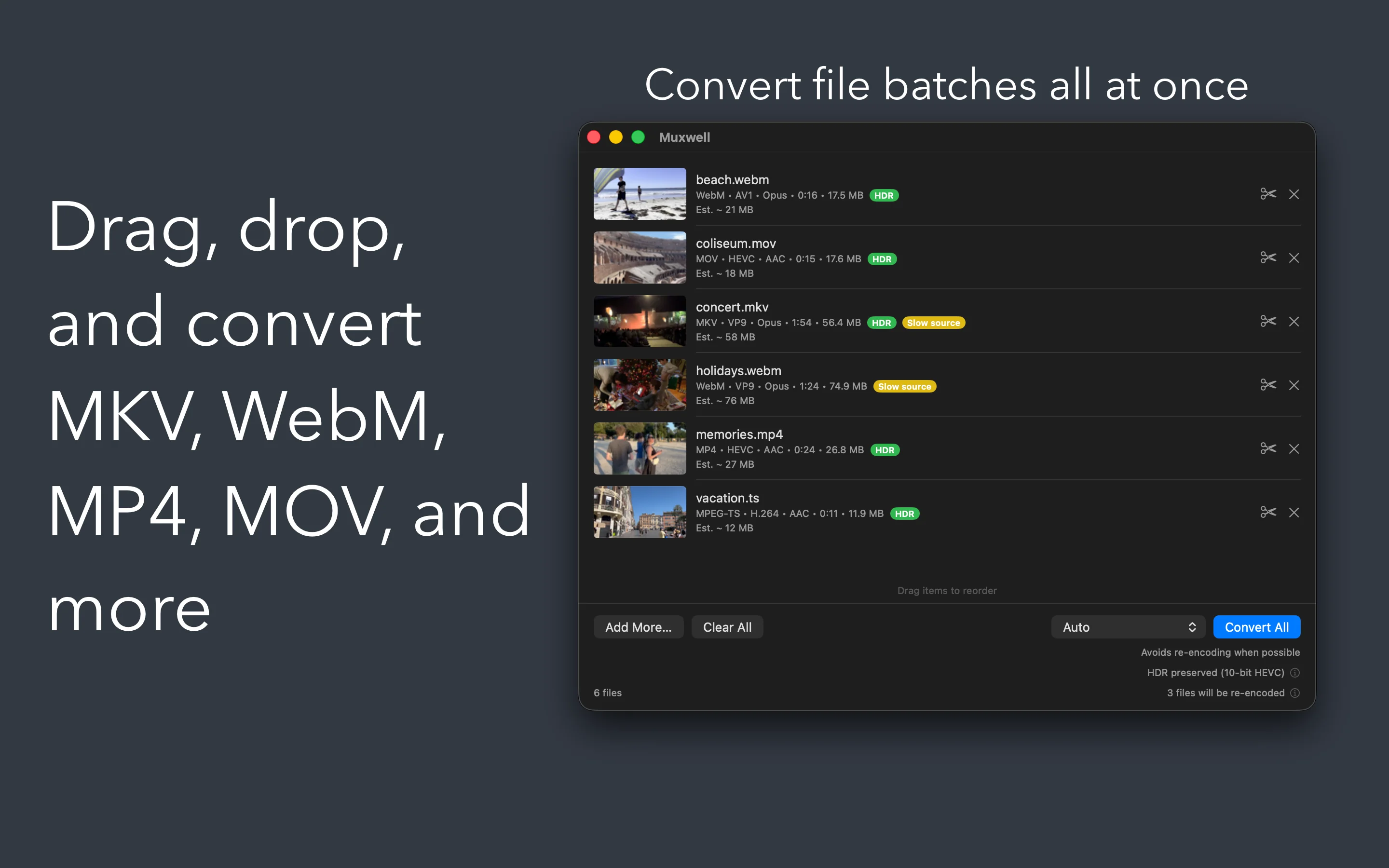
Got a video your Mac won't play, won't import, or won't upload? Drag it onto Muxwell. Muxwell converts MKV, WebM, MP4, MOV, AV1, VP9, and more into the format you actually need — MP4 for sharing, MOV for editing, ProRes for Final Cut, M4A for audio extraction. No plugins, no command lines, no FFmpeg.
What Muxwell does
Every format in. The one you need out.
Inputs
Reads what your Mac won't
MKV, WebM, MP4, MOV, M4V, MPEG-TS, and MPEG. H.264, HEVC, VP9, VP8, AV1 video. AAC, MP3, AC-3, E-AC-3, FLAC, ALAC, Opus, Vorbis audio.
Outputs
The format you actually need
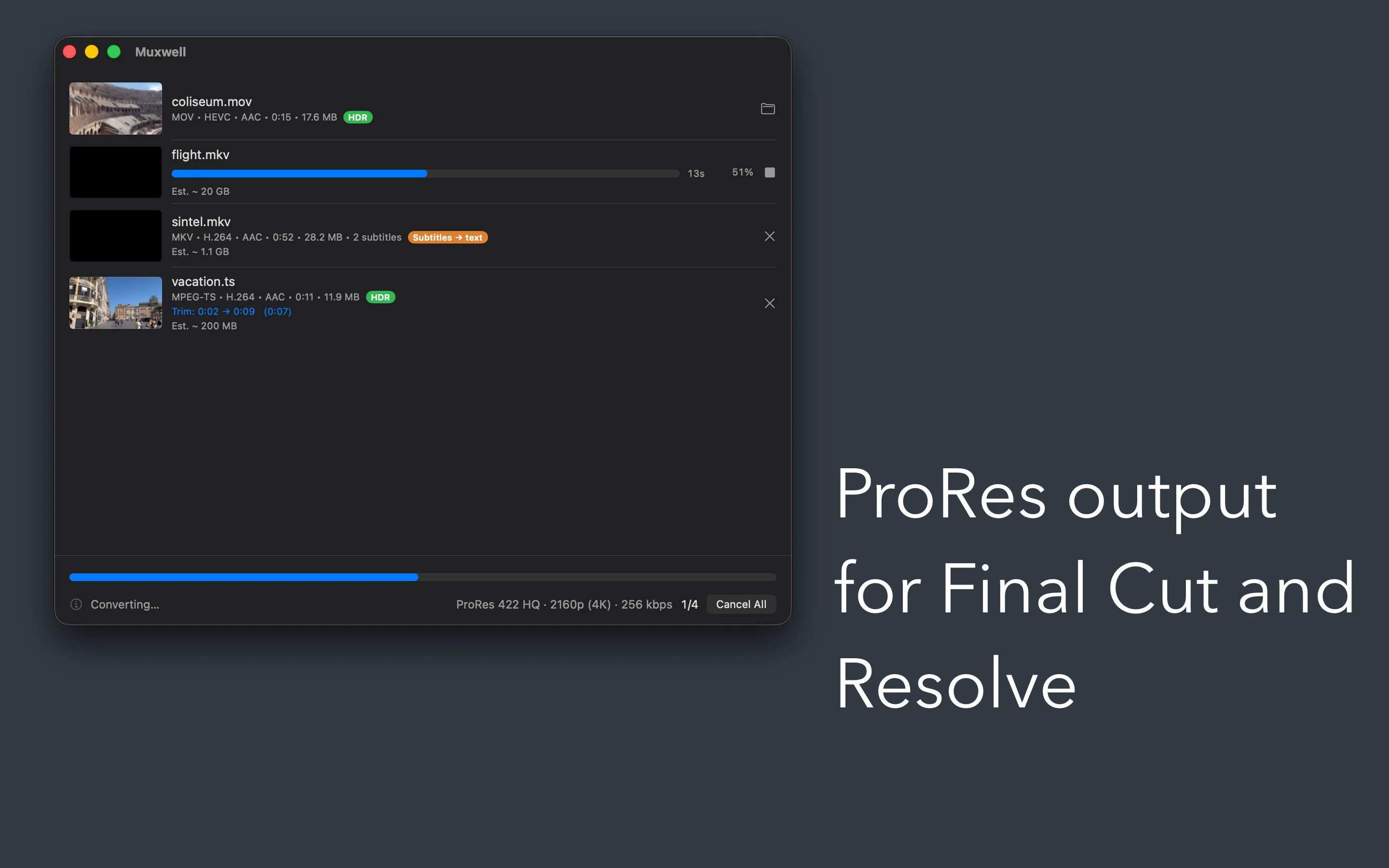
MP4 (H.264 or HEVC) for sharing. MOV (H.264 or ProRes 422 Proxy / LT / 422 / HQ) for editing. M4A (AAC or ALAC) or FLAC for audio-only.
Presets
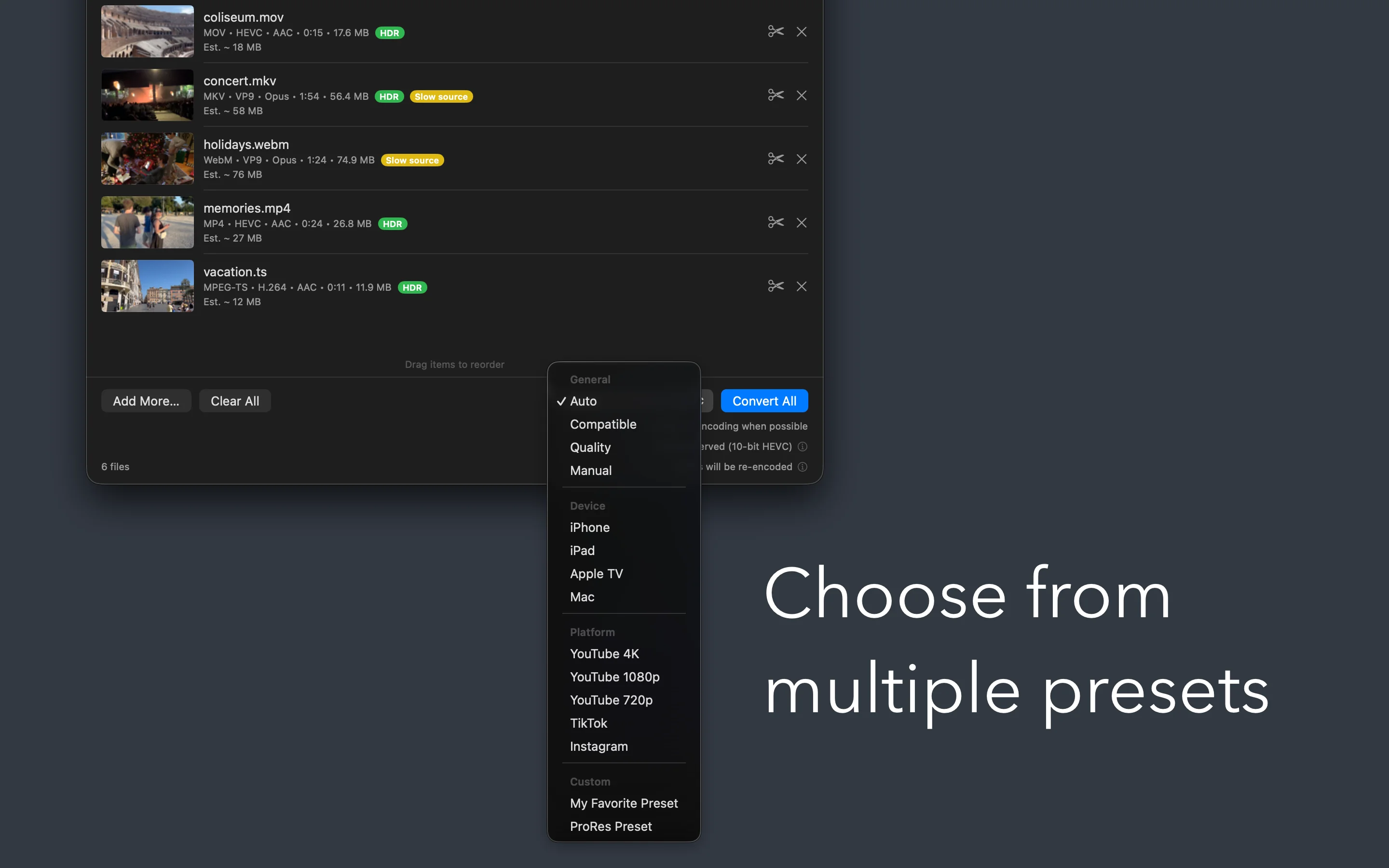
One click for every target
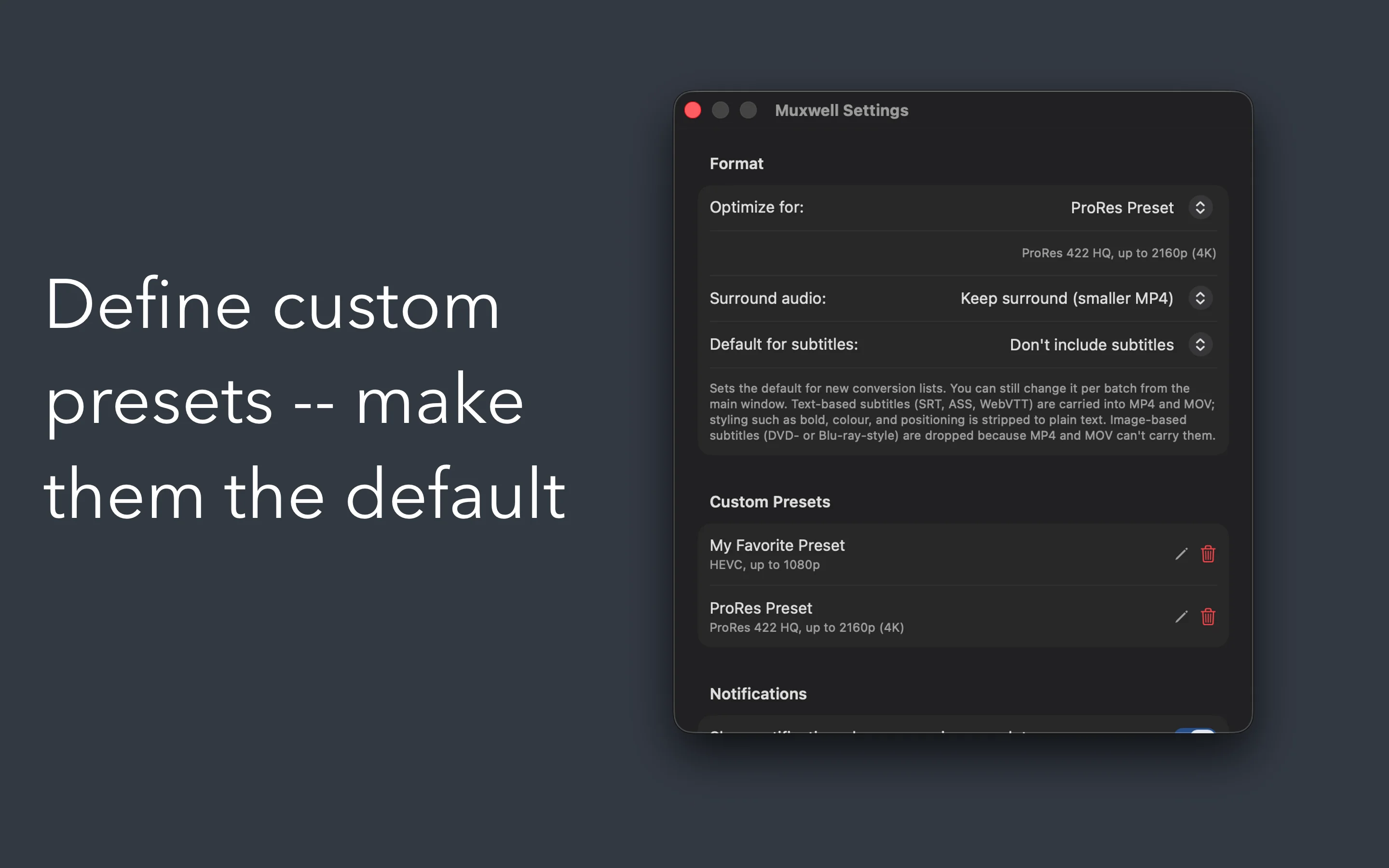
iPhone, iPad, Apple TV, Mac, YouTube 4K / 1080p / 720p, TikTok, Instagram. Auto passthrough when possible — no re-encode, no quality loss. Save your own presets for next time.
Trim
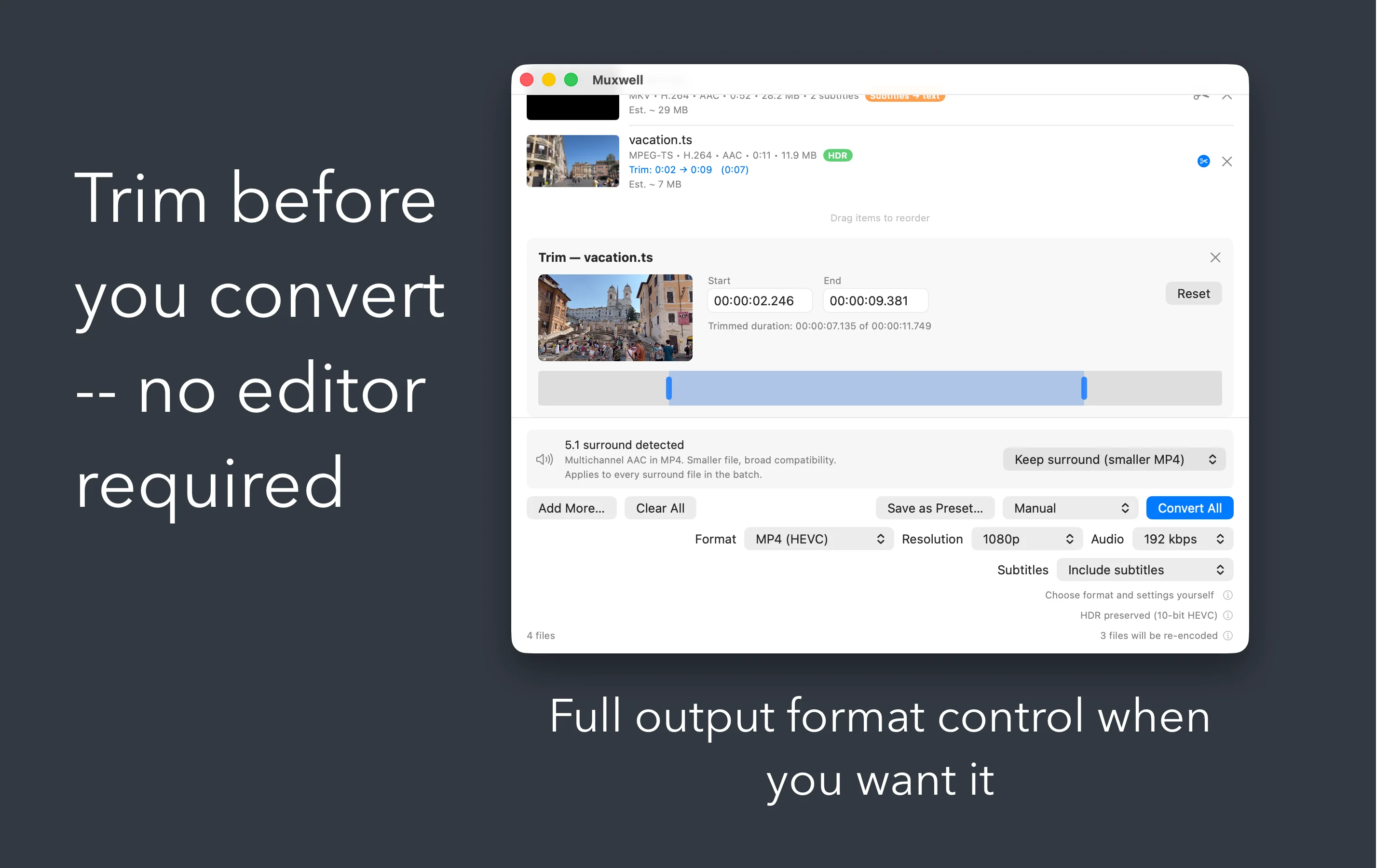
Trim before you convert
Set start and end points on a visual scrubber, right on the queue row. Per-file, frame-accurate, and applies whether the file is passthrough or re-encoded. No editor required.
Batch
Drag a folder, walk away
Re-order by dragging, skip individual files mid-run, retry the ones that failed. Each row shows live progress, HDR / surround / subtitle badges, and a Show in Finder shortcut when it's done.
Audio
Audio extraction, lossless
Pull clean M4A AAC, M4A ALAC, or FLAC straight from any video source. Perfect for podcasters, musicians, and archivists.
Surround and HDR
Done right, by default.
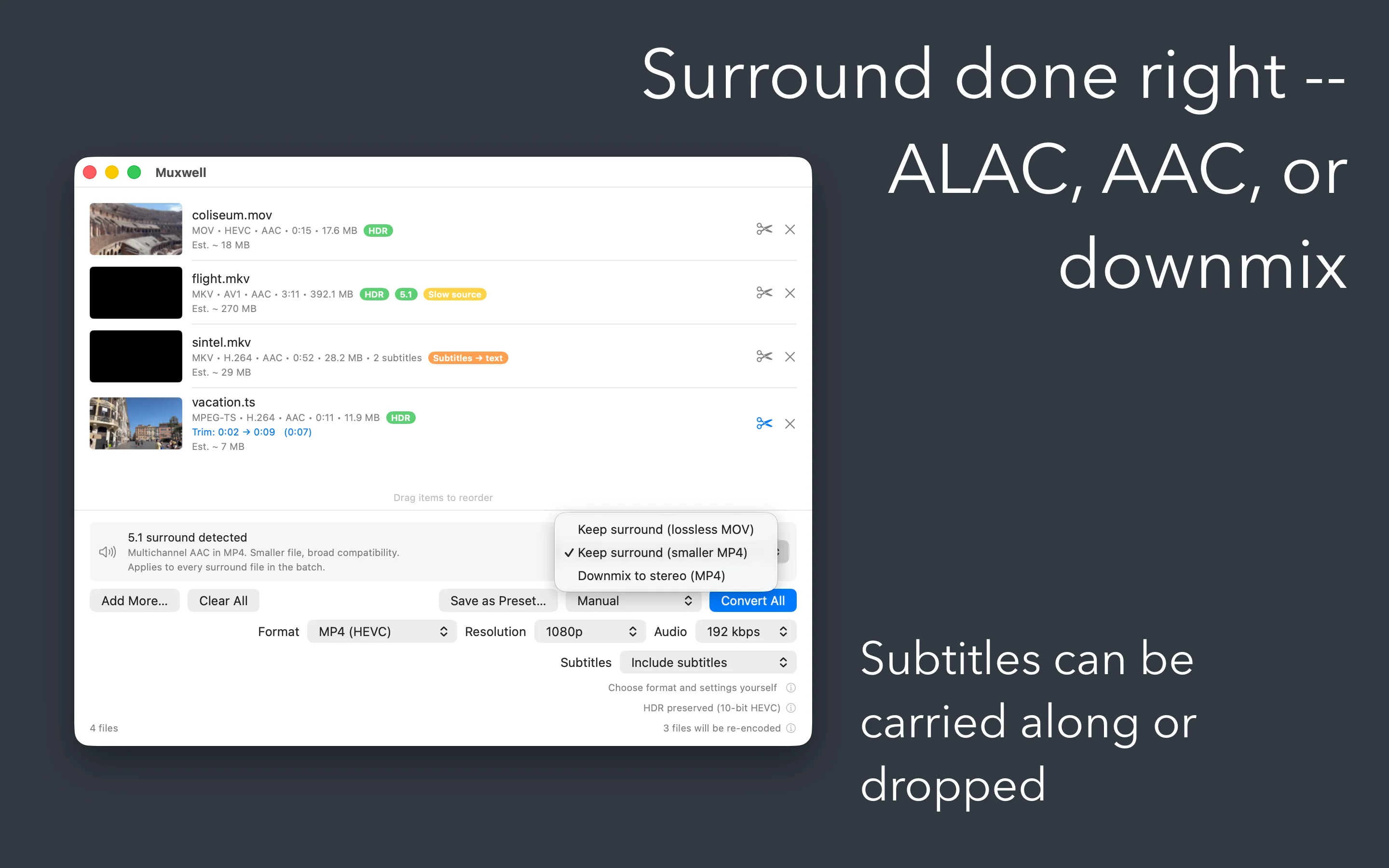
Surround done right
- Lossless MOV — multichannel ALAC, or AC-3 / E-AC-3 passthrough when the source already has them
- Smaller MP4 — multichannel AAC, broad compatibility
- Stereo downmix — BS.775 downmix into the chosen container
- Pick once per batch, or set a default in Preferences
HDR done right
- HEVC outputs preserve BT.2020 and PQ metadata
- ProRes targets carry HDR natively
- H.264 targets tone-map BT.2020 to BT.709 with the correct color matrix
- No washed-out output, no surprises
Press-and-go
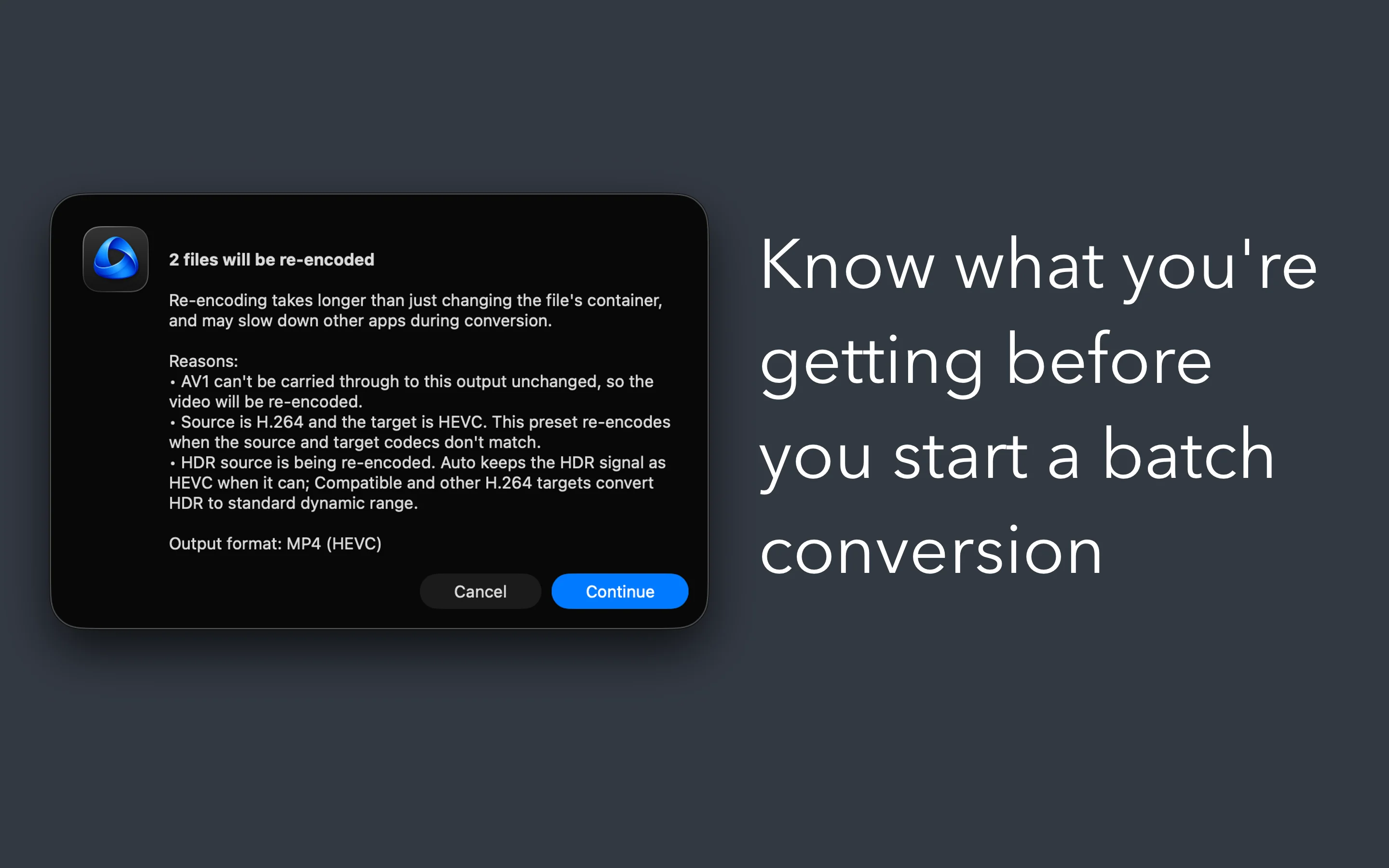
Know what you're getting, before you start.
No surprises
- Warns when a conversion will be slow on the source codec
- Warns when the destination volume is short on disk space
- Explains when a re-encode is unavoidable, and why
- Live progress and ETA per file in the queue
- Output filenames auto-disambiguate on collision
Built for your workflow
- Subtitle support — SRT, ASS/SSA, WebVTT, and native MP4/MOV tracks
- Show in Finder on every completed row
- Notifications when a batch finishes — keep working in the meantime
- Manual mode exposes Format, Resolution, Audio bitrate, and Subtitles pickers
- Remembers your last-used output folder
Native and private
Built for your Mac. Yours alone.
Truly native
- Built with SwiftUI and AppKit — not a port, not a web wrapper
- Designed for Apple Silicon Macs (M1 and later)
- Hardware-accelerated where possible, optimized software decoders where not
- Fully sandboxed for your security
Truly private
- Never connects to the internet
- No analytics, no telemetry, no update checks
- Your videos stay on your Mac — nothing leaves the device
- No accounts, no tracking, no in-app purchases
Details