
Ruth
A keyboard-driven video player for everyone.

★ Top 10 in Entertainment — Launch Day
Overview
Plays anything, out of the box.
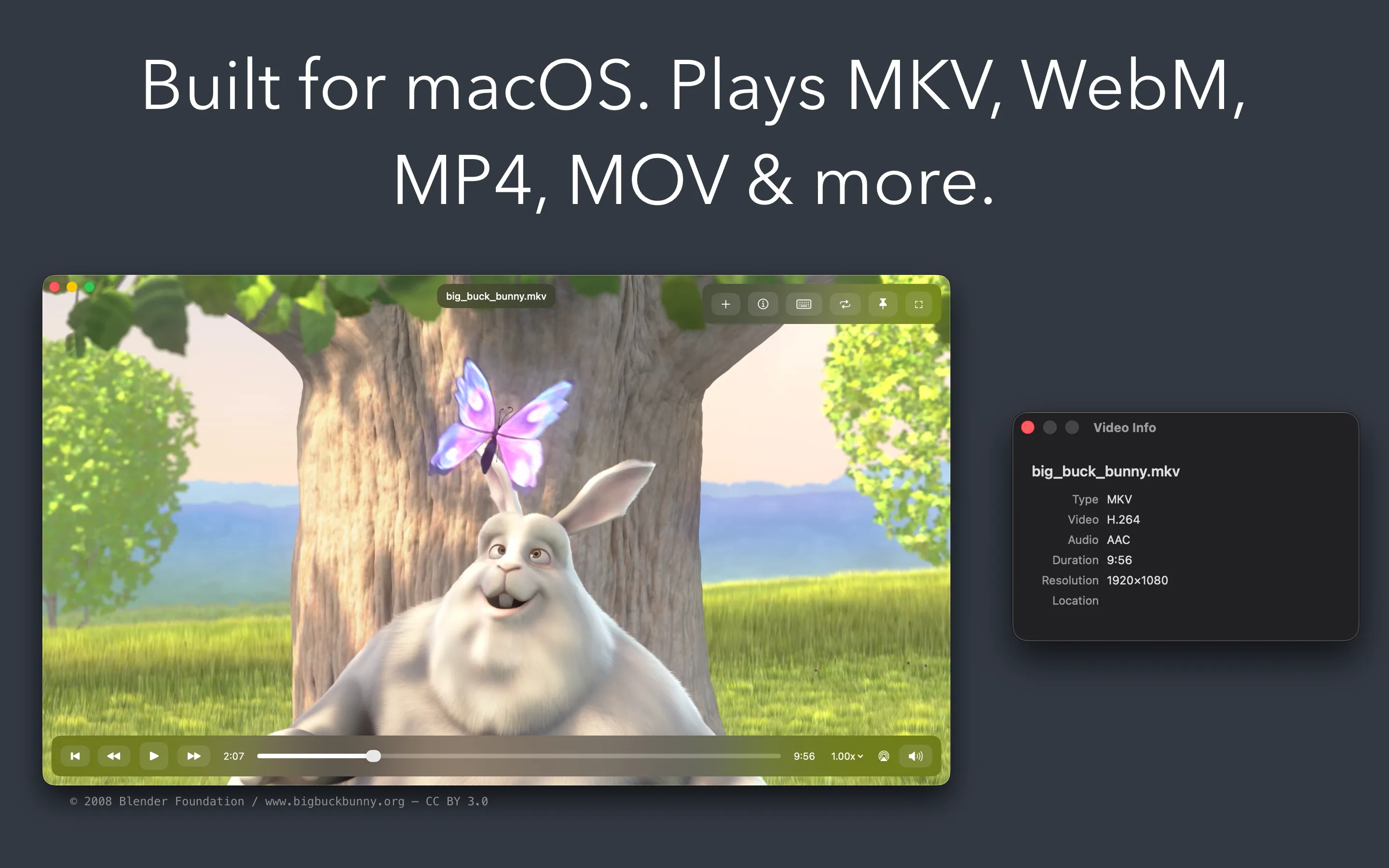
Downloaded an MKV or WebM file that won't play on your Mac? Ruth plays it — along with MP4, MOV, and M4V — with support for most embedded subtitles. No plugins, no hassle. And when you need to share or edit, convert compatible MKV and WebM files to MP4 or MOV.
What Ruth does
One player. Every format that matters.
Playback
Plays almost anything
Hardware-accelerated decoding for H.264 and HEVC, and optimized software decoders for VP9, VP8, and AV1.
Subtitles
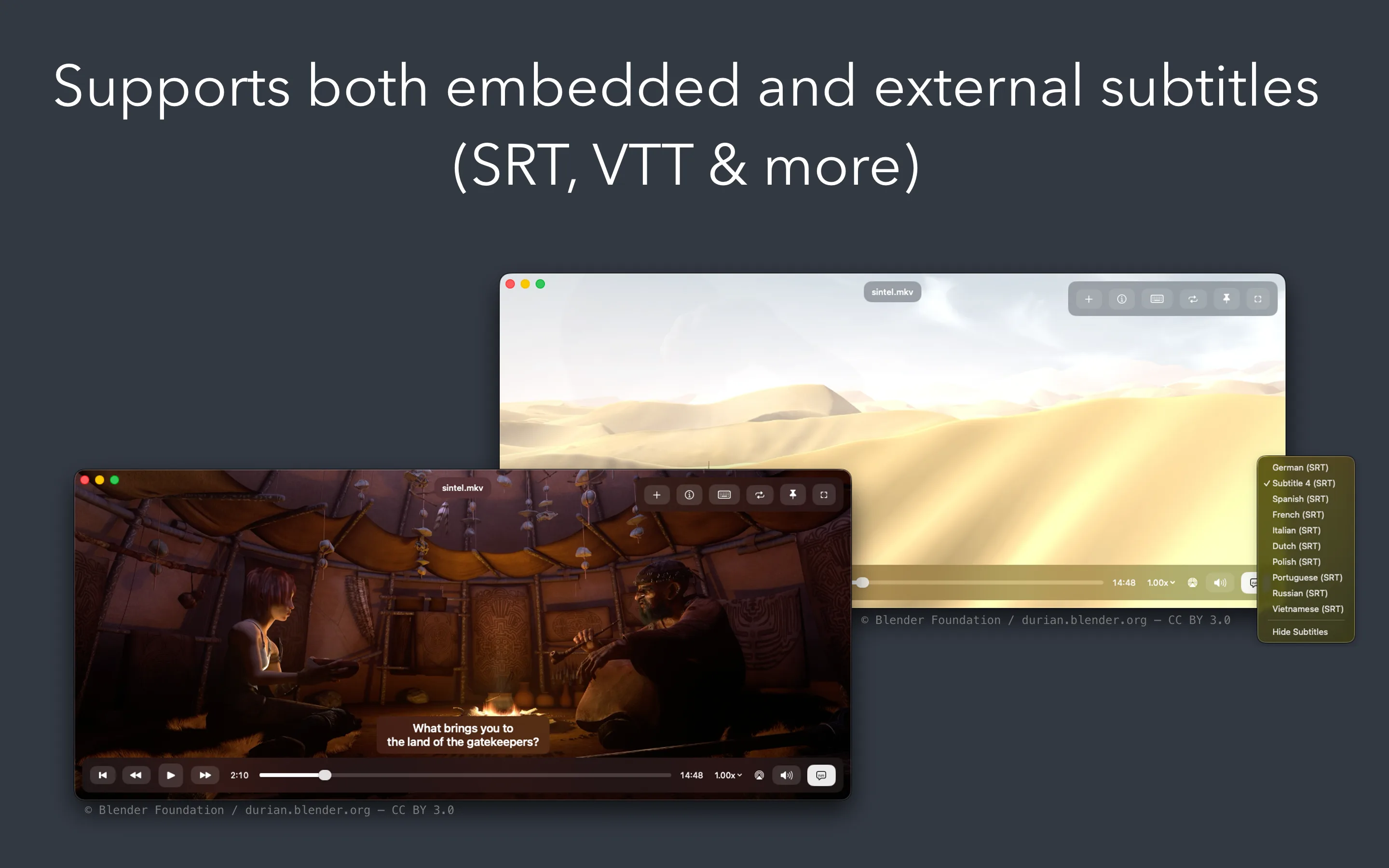
Broad subtitle support
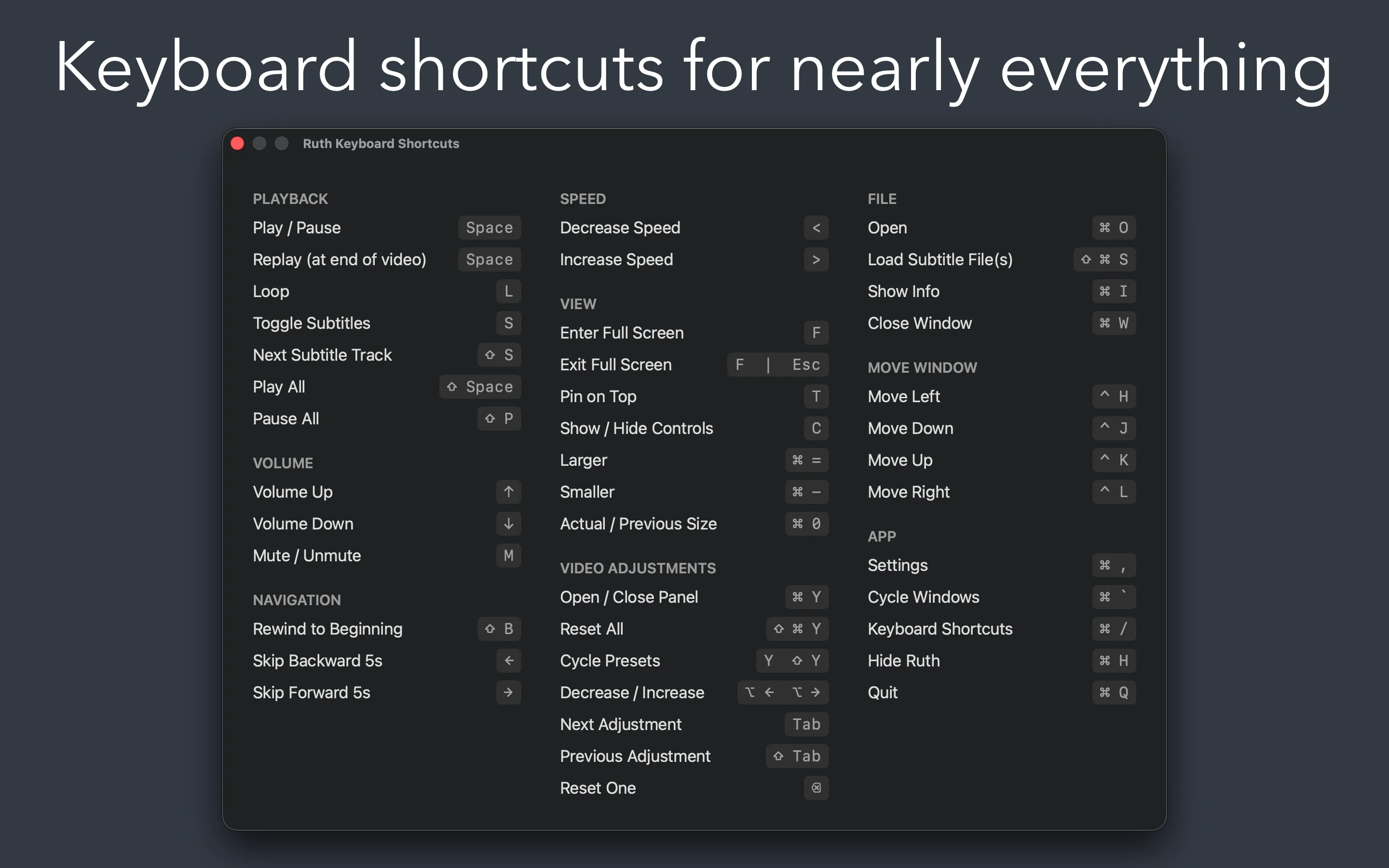
SRT, ASS/SSA, and WebVTT. Pick a track, Ruth remembers it per file. Load external subtitles with ⇧⌘S, or press S to cycle.
Conversion
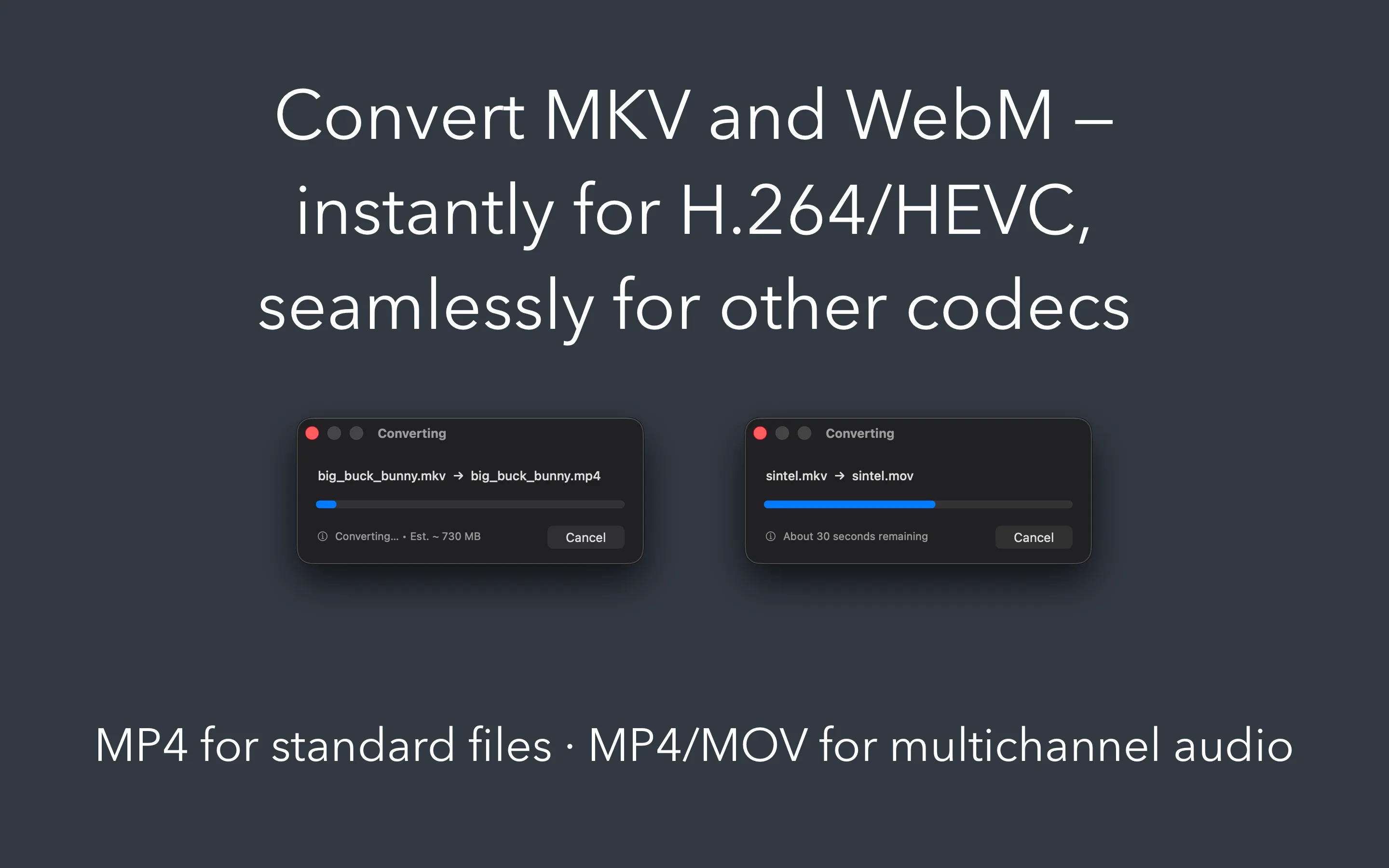
MKV & WebM to MP4 or MOV
H.264 and HEVC streams remux instantly — no quality loss. VP9 and AV1 re-encode. Multichannel audio stays surround in MOV or MP4, or downmixes to stereo.
Control
Keyboard-driven
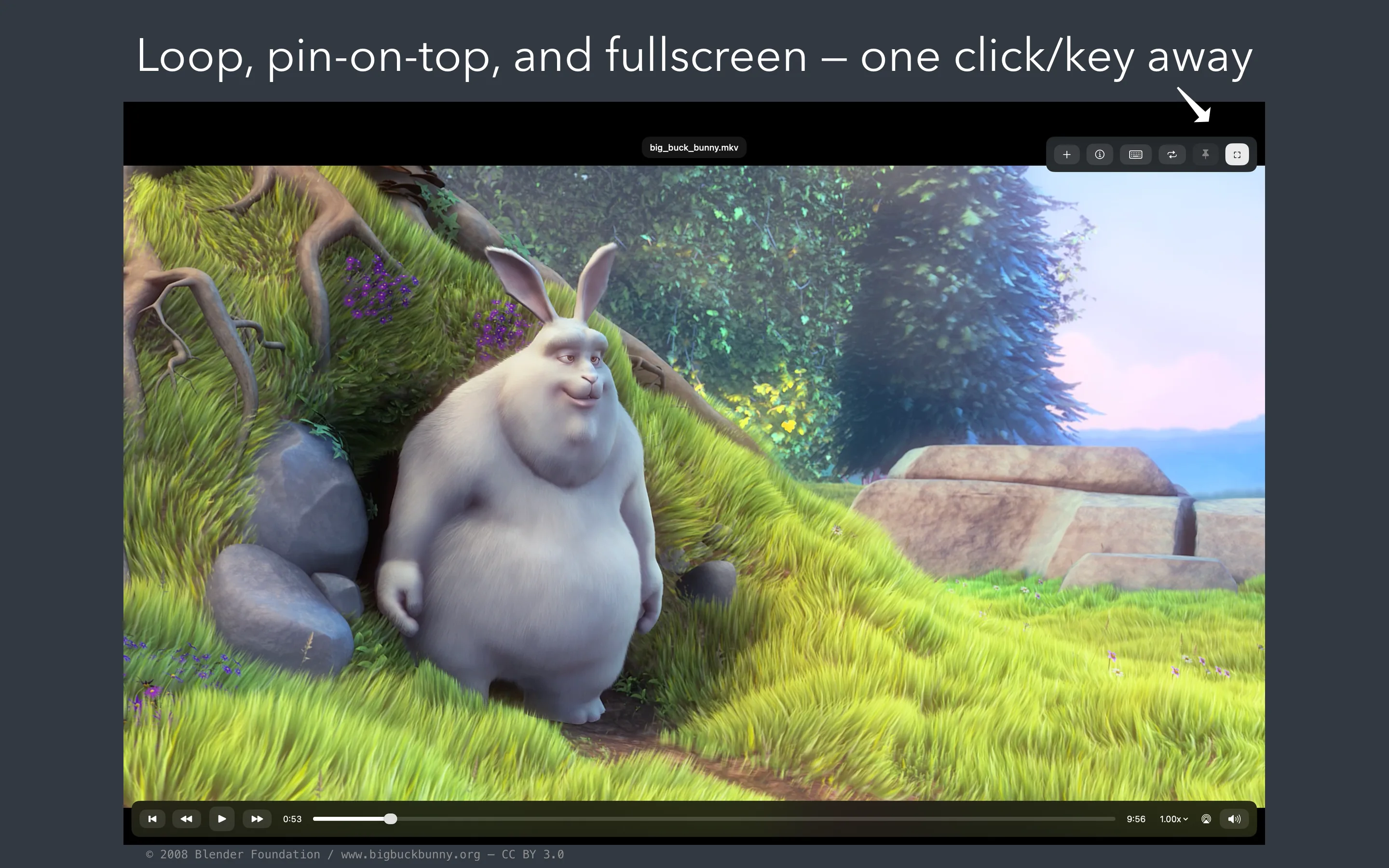
Space to play, arrows to seek, F for fullscreen, L to loop, T to pin on top. Speed from 0.25× up to 4×. You rarely need to touch the mouse.
Adjust
Fine-tune any video
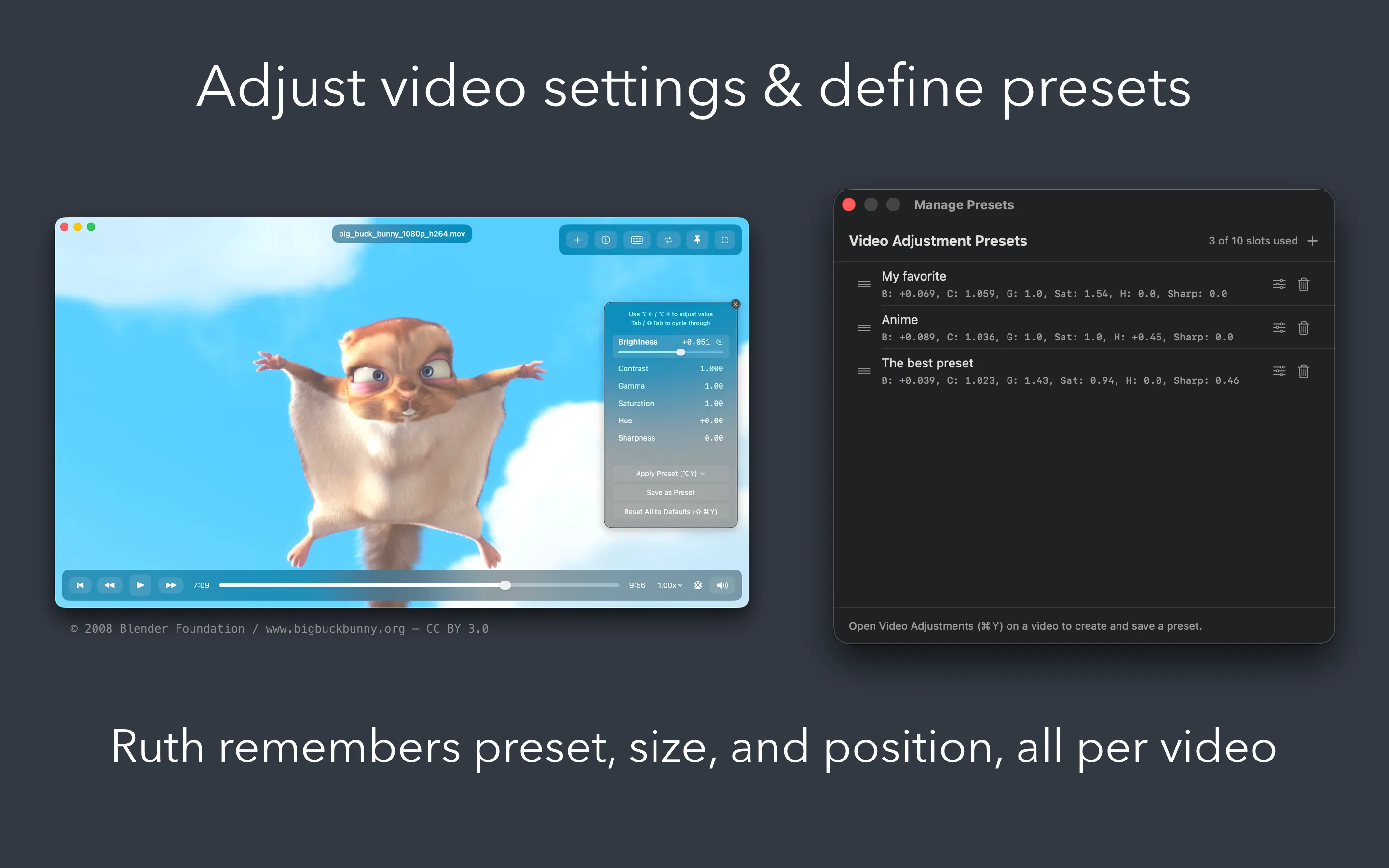
Brightness, contrast, gamma, saturation, hue, and sharpness — live while watching. Lighten and Vibrant presets built in, or save your own.
Windows
Several videos, side by side
Open many videos at once, each in its own window. Play All and Pause All control them together. Pin any window on top while you work.
Built for the way you watch
Details that stay out of your way.
Plays nicely with your Mac
- Integrates with macOS Now Playing — keyboard media keys and Bluetooth headphones work out of the box
- Transparent titlebar with controls that appear when you need them and disappear when you don't
- Click to play, double-click for fullscreen, drag to move the window
- AirPlay support for MP4, MOV, and M4V
- Drag-and-drop to open files, Open Recent for what you watched last
Picks up where you left off
- Remembers your playback position per file — reopen a video and you're right back where you stopped
- Remembers your subtitle choice per file
- Window size and position are remembered too
- Save your own color presets and apply them to any video
- Press ⌘I for codec, resolution, and duration at a glance
Native and private
Built for your Mac. Yours alone.
Truly native
- Built with SwiftUI and AppKit — not a port, not a web wrapper
- Designed for Apple Silicon Macs (M1 and later)
- Hardware-accelerated where possible, optimized software decoders where not
- Fully sandboxed for your security
Truly private
- Never connects to the internet
- No analytics, no telemetry, no update checks
- Your videos stay on your Mac — nothing leaves the device
- No accounts, no tracking
Details